
Feature
A friendly note when a value needs attention.
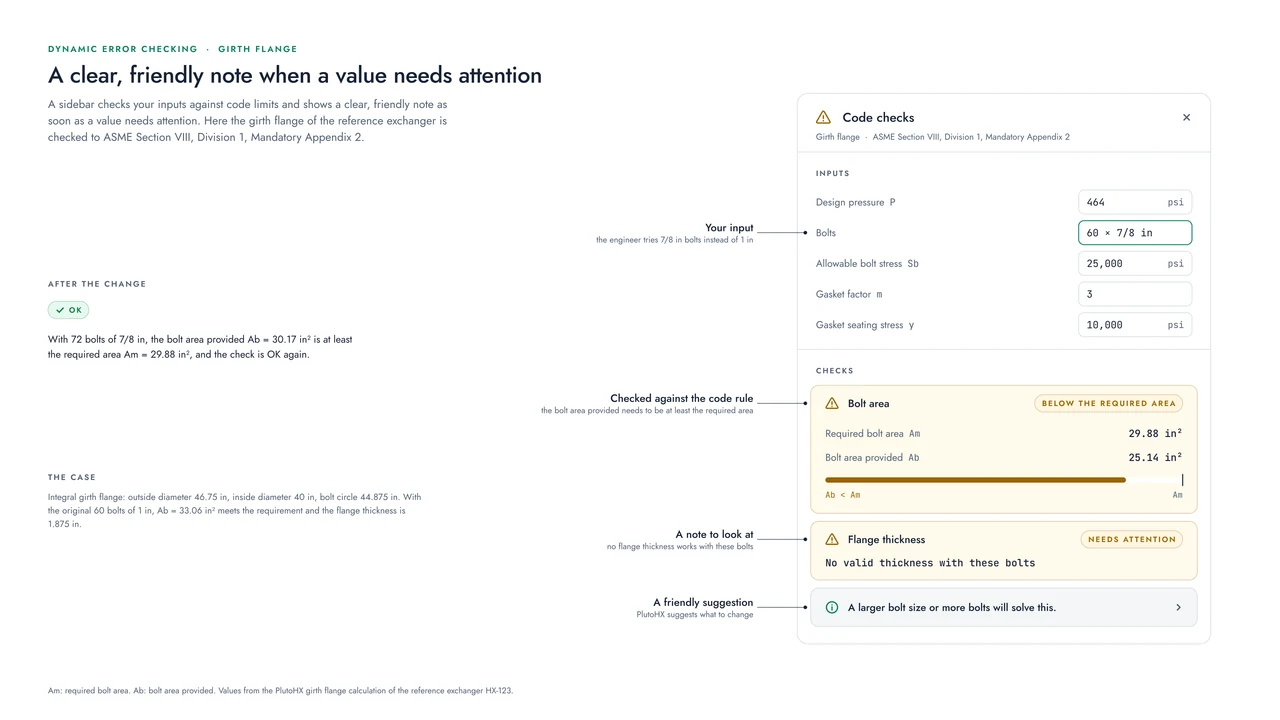
PlutoHX verifies your inputs against the code limits while you work, and tells you right away when something needs a second look.
How it works
Checks that run as you design.
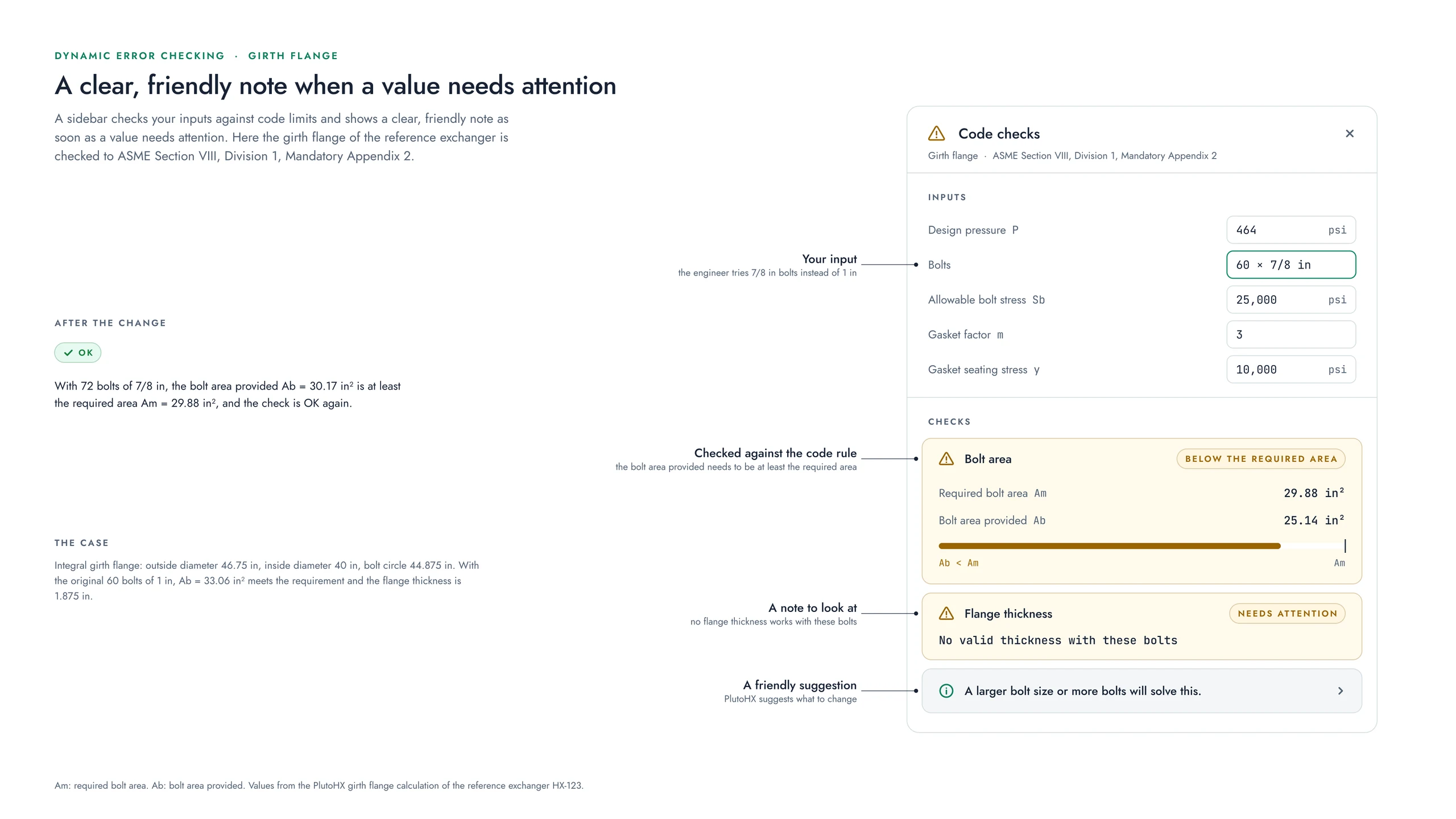
The checks run live. When a change takes a value past a code limit, or two parts come too close to each other, the sidebar shows it with a short note about what to look at, in a warning color with an icon.
Where there is an obvious fix, the note suggests it, for example a larger bolt size or more bolts when the bolt area is below the required area.
What is checked
Some of the checks PlutoHX runs.
- Minimum design metal temperature (MDMT)
- Flange ratings
- Shell and tube thicknesses
- Code compliance of each part
- Design warnings and feasibility
- Geometric interference between parts
After an import
Open items, grouped and counted.
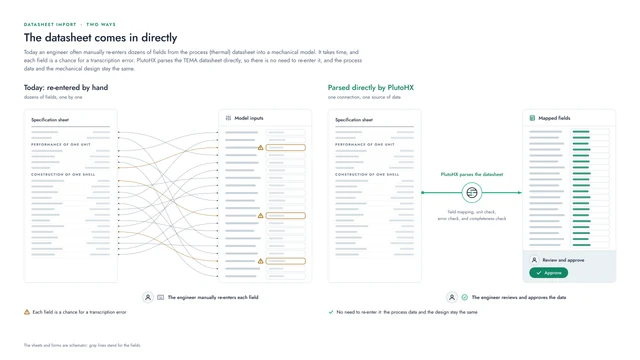
The same idea helps right after a datasheet is parsed: anything still open is gathered by area and counted, so you can work through the list one item at a time.
An example with real numbers
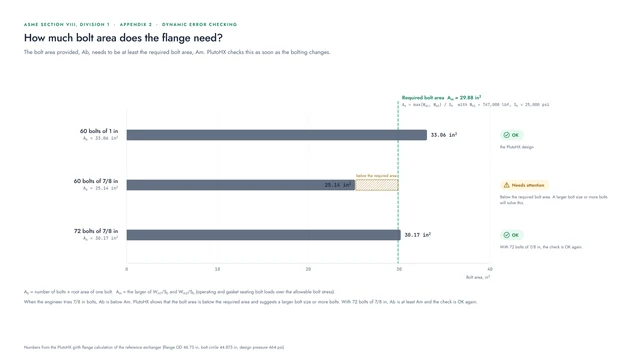
The bolt what-if on the flanges page shows a check that needs attention, and the change that meets the requirement again.
Coming Winter 2026
We would be glad to show you PlutoHX.
PlutoHX launches at the end of this year. A live demo shows how it fits the way your team works.
Visit us at the booth for a deep dive into PlutoHX.