
Feature
PlutoGen, the AI assistant inside PlutoHX.
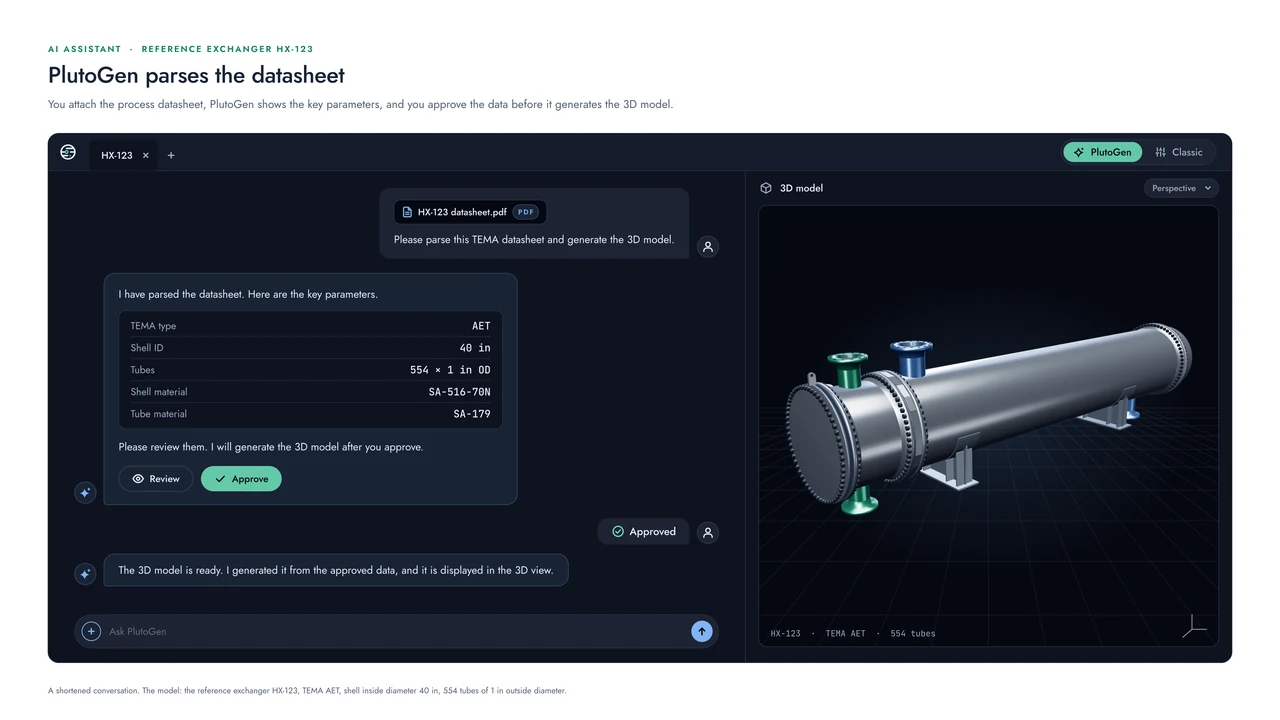
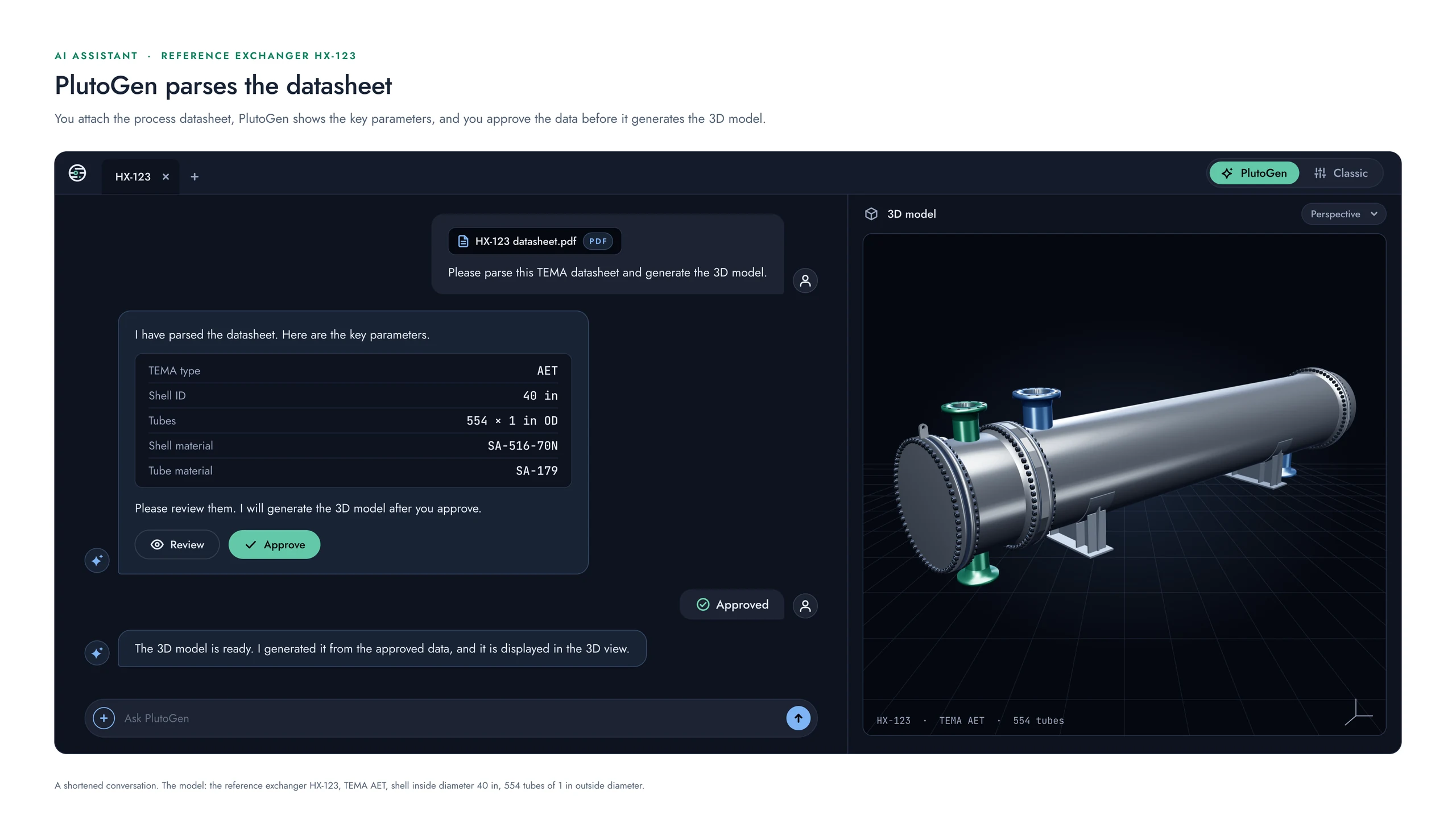
You talk to PlutoGen in plain language. It parses the datasheet, generates the 3D model, and answers your questions, while the engineer approves the data along the way.
Generate with AI
Start with a sentence.
One way to begin a design is simply to describe it, for example: "a shell-and-tube heat exchanger for cooling process water, TEMA type AES, ASME Section VIII".
PlutoGen generates the 3D model from the description and shows you the data it has used, so you can review it before anything is designed.
The review step
The values parsed, the checks run, and your approval.
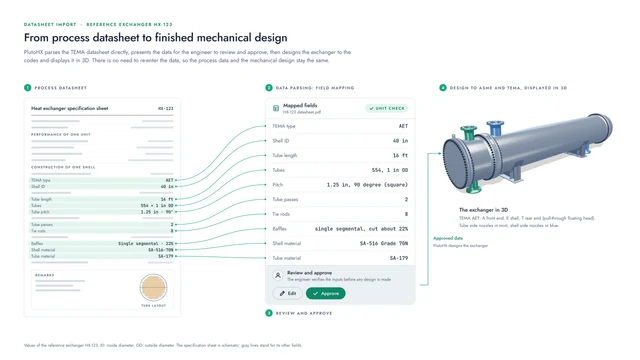
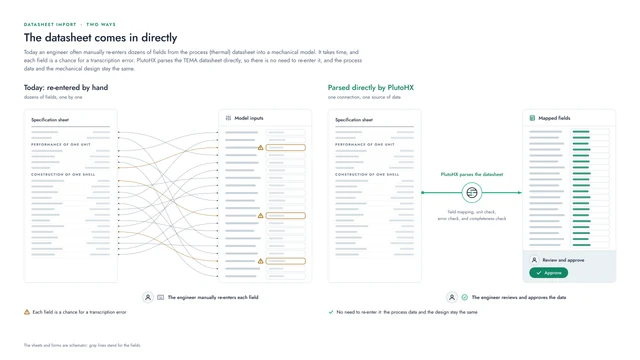
After parsing a datasheet, PlutoGen lists what it found and the checks it ran, then waits for the engineer.
Process datasheet, item HX-123
- TEMA type
- AET
- Shell inside diameter
- 40 in
- Tubes
- 554
- Tube outside diameter
- 1 in
- Tube length
- 16 ft
- Tube passes
- 2
- Shell material
- SA-516 Grade 70N
- Tube material
- SA-179
- Field mapping
- Unit check
- Error check
- Completeness check
PlutoGen and Classic
The same model, two ways of working.
If you prefer forms, the Classic switch next to PlutoGen shows the same design as forms and settings. Because both work on one model, the data you approve is the same whichever you use.
Good to know
How PlutoGen fits the engineering work.
- PlutoGen prepares the data; the engineer reviews and approves it.
- Each calculation still shows its formula, inputs, and code reference, so the result can be checked by anyone.
- On the Free plan, PlutoGen helps students and young engineers learn the codes by answering their questions in plain language.

Coming Winter 2026
We would be glad to show you PlutoHX.
PlutoHX launches at the end of this year. A live demo shows how it fits the way your team works.
Visit us at the booth for a deep dive into PlutoHX.